JK BMS Not Charging or Discharging: Why the MOSFET Is Off
A JK BMS that is not charging or not discharging has switched off its charge or discharge MOSFET, and it always has a reason. In most cases a cell reached a voltage limit, a temperature limit is active, an over-current protection is waiting out its recovery time, or the charge or discharge switch is simply off in the settings. Find which one it is first: look at the MOSFET state and the active alarm in the app or in a live monitor, then change only the setting that causes it.
Read the state before you change anything
Every JK BMS reports three things you need:
- Charge MOSFET and discharge MOSFET: on or off.
- Active alarms: the protection that is tripped right now.
- The highest and lowest cell voltage, the temperatures and the current.
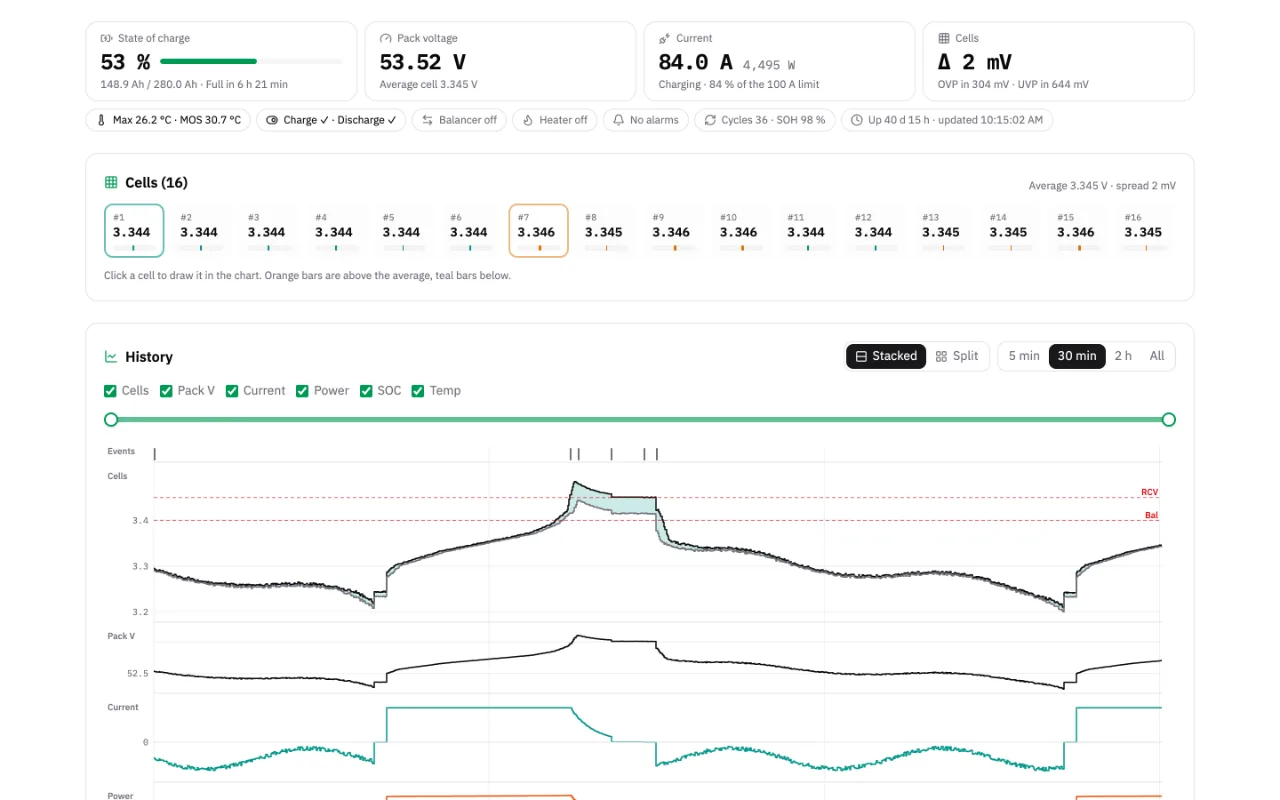
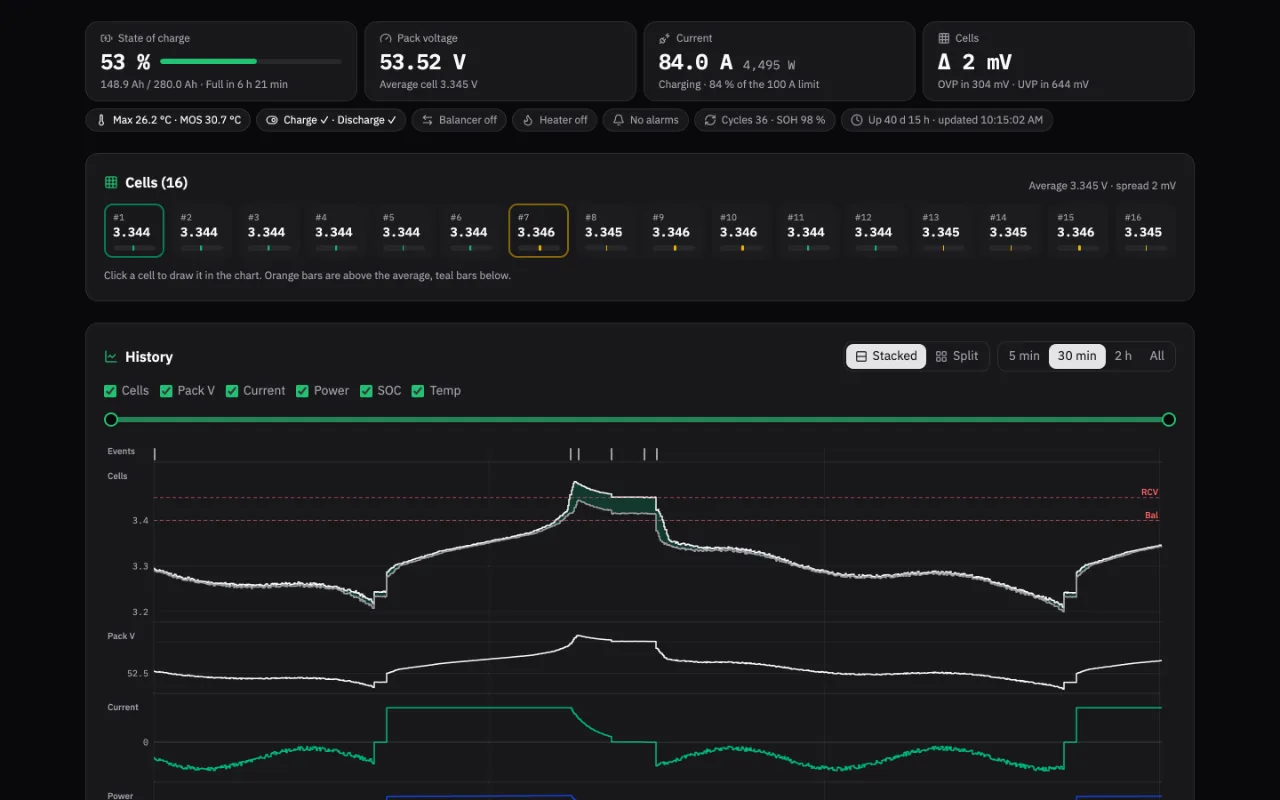
The JK app shows them on the main screen. In JK Preset Studio the live monitor shows the same values, keeps a chart, and turns a status chip amber or red when a protection trips, so you can see what happened just before charging stopped.
Why a JK BMS is not charging
| What you see | Likely cause | What to change |
|---|---|---|
| One cell at or above Cell OVP | Cell over-voltage protection | Charger voltage, balance, OVP and OVPR |
| Pack voltage high, cells even | Charger voltage above the pack limit | Charger settings or Cell OVP |
| Cold pack, alarm for low charge temperature | Charge under-temperature protection | Wait, heat, or check the limit |
| Hot pack or MOS | Over-temperature protection | Cooling, current, temperature limits |
| Alarm for charge over-current | Charge OCP, then recovery time | Charger current or the charge current limit |
| No alarm, charge MOSFET off | Charge switch off in the settings | Turn the charge MOSFET switch on |
Cell over-voltage. The most frequent case. One cell runs ahead, reaches Cell OVP and stops the whole pack while the others are still below full. The fix is rarely a higher OVP: it is a charger voltage that suits the cell count, a balancer that works earlier, and a recovery voltage (OVPR) far enough below OVP. The overcharge protection guide walks through it.
Temperature. Lithium cells must not be charged below freezing, so the BMS blocks charging under the charge under-temperature limit. That is correct behaviour, not a fault. The temperature and heating guide explains the limits and the heater.
Over-current. If the charger pushes more than the charge OCP limit for longer than the delay, the BMS cuts off and waits for the recovery time, often 60 seconds, before it tries again. A large inverter charger can trip it again and again.
Why a JK BMS is not discharging
| What you see | Likely cause | What to change |
|---|---|---|
| One cell at or below Cell UVP | Cell under-voltage protection | Charge the pack, check the weak cell |
| Alarm for discharge over-current | Discharge OCP, then recovery time | Load, discharge limit, delay |
| Output off right after connecting a load | Short circuit protection or inrush | Precharge, SCP delay, wiring |
| Hot MOS or pack | Over-temperature protection | Cooling, current |
| No alarm, discharge MOSFET off | Discharge switch off in the settings | Turn the discharge MOSFET switch on |
| BMS dark, no Bluetooth | Sleep or power off voltage | Wake it or charge it |
Under-voltage. When the lowest cell reaches Cell UVP, discharging stops until it recovers to UVPR. If one cell always gets there first while the rest are still well charged, that cell is weak. The weak cell guide shows how to spot it in the log.
Over-current and short circuit. A load above the discharge OCP limit trips after the delay and recovers after the recovery time. An inverter's capacitors can draw a huge current for a moment when you connect it, which looks like a short circuit. The OCP and SCP guide gives safe values.
Sleep and power off. A sleeping BMS turns everything off. The smart sleep guide explains when that happens and how to wake it.
The switches nobody checks
The settings have a Charge MOSFET and a Discharge MOSFET switch. When one is off, the BMS blocks that direction completely and shows no alarm. They get turned off by accident in the app, by an imported settings file, or by an inverter that controls the BMS over RS485 or CAN. Read the settings and check both before you look for anything more complex.
Find the cause in the Detail Log
If the stop happened while you were not watching, export the Detail Log from the JK app and open it in the log analysis. It pairs each trip with its release, shows the MOSFET state on a timeline, and names the setting behind each protection. The reboots and power events guide explains the CHG and DSG columns row by row.
FAQ
Why does my JK BMS charge but not discharge?
The discharge MOSFET is off. Check for an under-voltage, discharge over-current or temperature alarm, then check that the Discharge MOSFET switch is on in the settings. A remote command from an inverter can also switch it off.
How long does a JK BMS stay off after over-current?
For the recovery time set for that protection, often 60 seconds for charge and discharge OCP. If the current is still too high when it switches back on, it trips again.
Why is my JK BMS not charging when the cells are not full?
One cell has probably reached Cell OVP before the others. Look at the highest cell, not the pack voltage. Balancing and a lower charger voltage fix it, not a higher OVP.
Connect your BMS to read the MOSFET state, the alarms and every setting at once.
Related guides
- JK BMS Cell Over Charge Protection Keeps Tripping: Causes and FixJK BMS cell over charge protection tripping and releasing every minute? See why a charger set too high causes it, how to tell it from a weak cell, and how to fix it.
- JK BMS Overcurrent Protection Settings: OCP and SCP GuideJK BMS overcurrent protection settings explained: charge and discharge OCP limits, delays, recovery times and SCP, with ranges and sizing for inverters.
- JK BMS Temperature and Heating Settings: Safe Values for LiFePO4Set JK BMS charge and discharge temperature limits, MOS OTP and the heating function. Why the -20 °C factory default is wrong for LiFePO4 and what to use instead.
- Find a Weak Cell with the JK BMS Log: Trips, Spread and BalanceFind a weak cell in the JK BMS Detail Log: which cell trips first, how wide the spread is at the trip, and whether it is balance drift or a bad cell.
- JK BMS Reboots and Charge MOS Off: Reading Power Events in the LogJK BMS reboots or the charge MOS switched off by itself? Learn to read Boot rows and MOS state in the Detail Log and tell expected restarts from real faults.